
AI-Powered Grading
The Grading Tool That Actually Reads Handwriting.
Grade 100+ paper exams or Canvas assignments in minutes, not days. AI generates rubrics, reads handwriting, and grades every answer against your rubric — with you in full control.
How It Works
From scan to scores in four simple steps. You stay in control at every stage.
Step 1
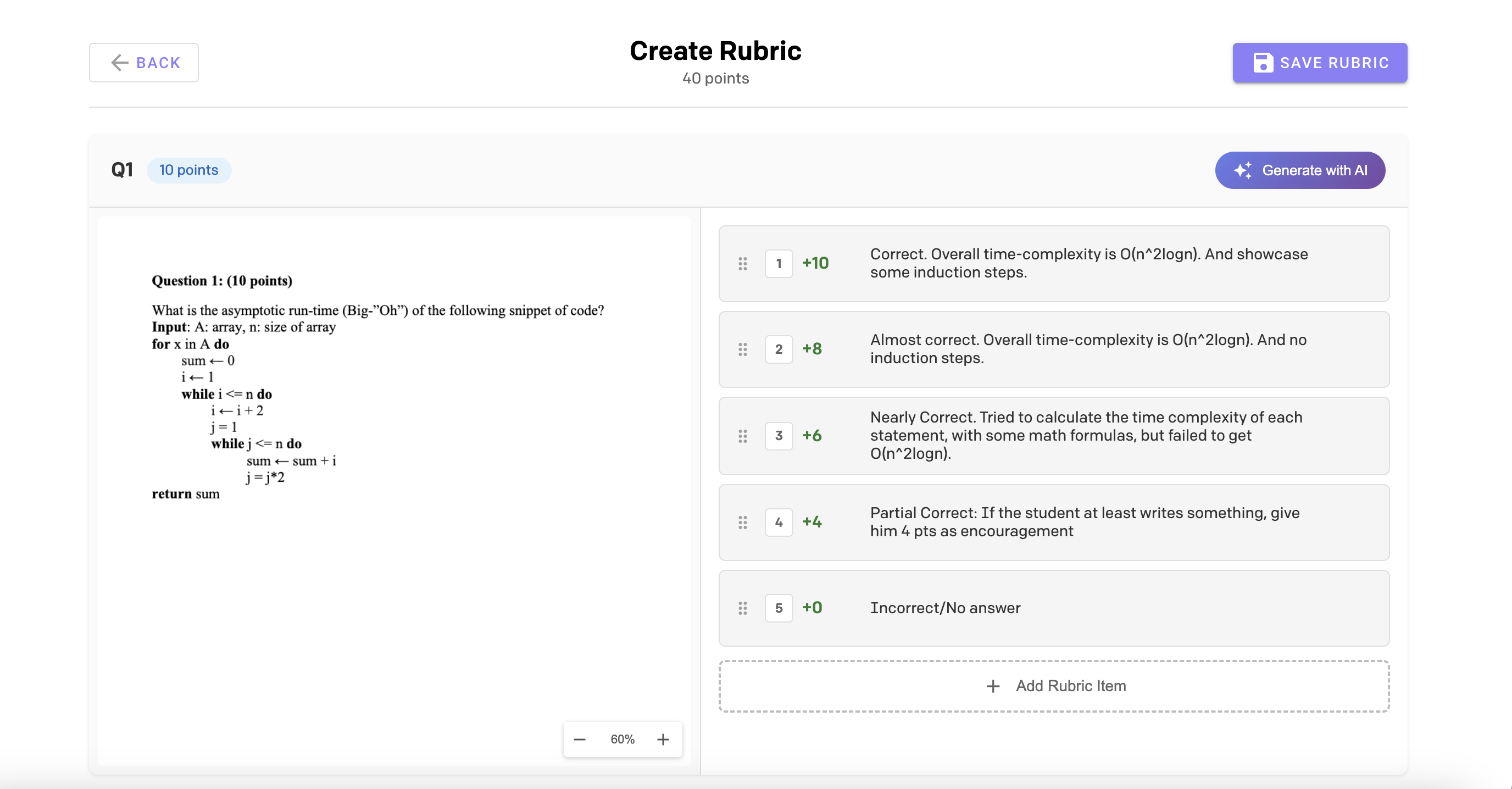
AI generates your rubric in seconds.
Upload your exam or pull your assignment from Canvas. AI reads the questions, understands the expected answers, and generates a detailed rubric with partial credit levels.
Edit, reorder, or add rubric items with a single click. You always have the final say.
Step 2
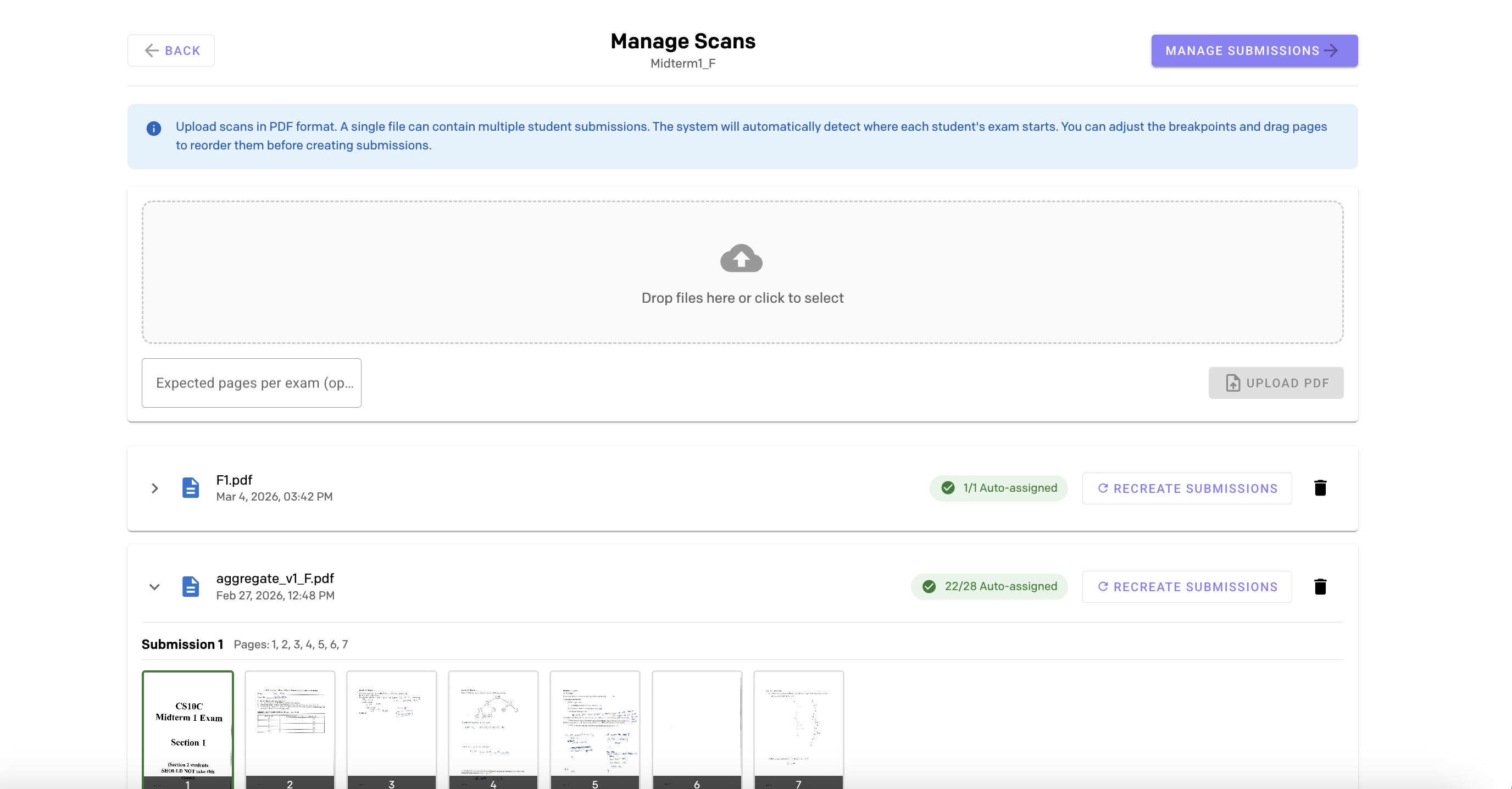
Upload scans. We handle the rest.
Drop a single PDF containing all student exams. AI automatically detects page breaks, reads student names and IDs, and splits them into individual submissions.
For Canvas assignments, submissions are imported directly.
Step 2b
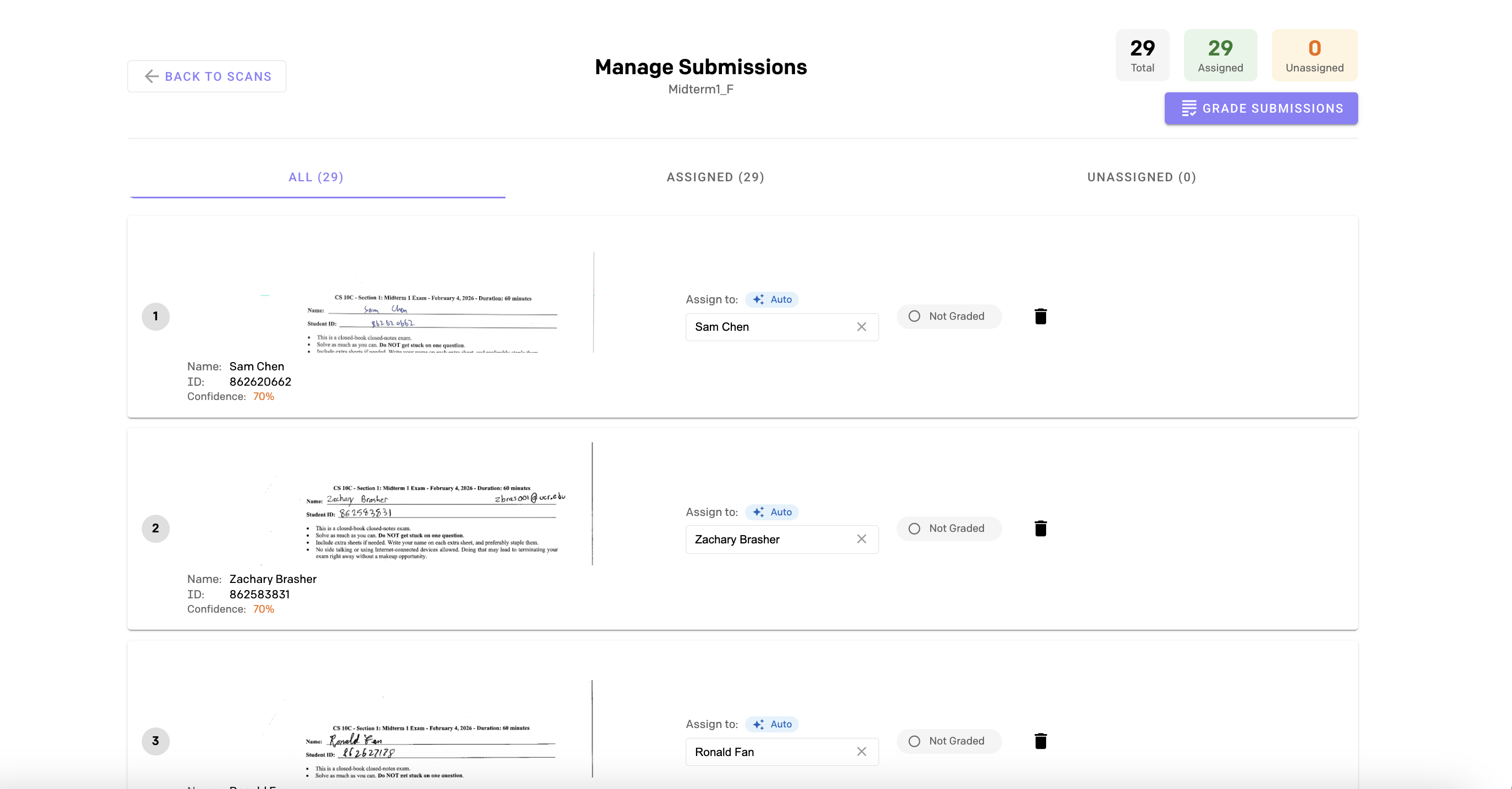
Every submission, automatically matched to a student.
AI reads handwritten names and student IDs to auto-assign each submission to the right student. Verify at a glance or manually reassign with a quick search.
See assignment status across your entire class in one view.
Step 3
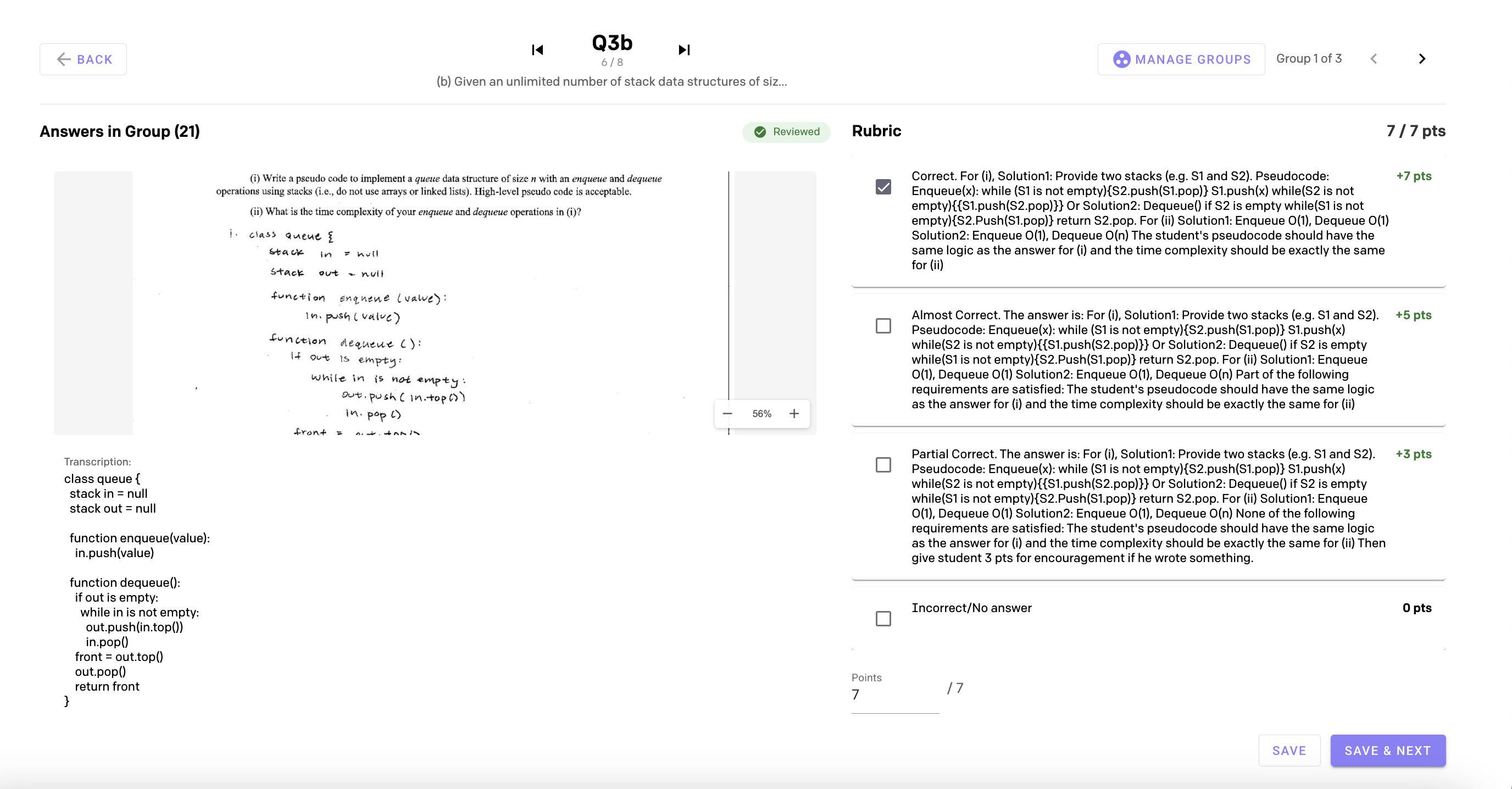
AI grades every question against your rubric.
AI reads each student's handwritten answer, transcribes it, matches it against your rubric, and assigns a score with detailed feedback.
Review each graded submission, override any score with a single click, and add your own feedback before publishing.
Step 3b
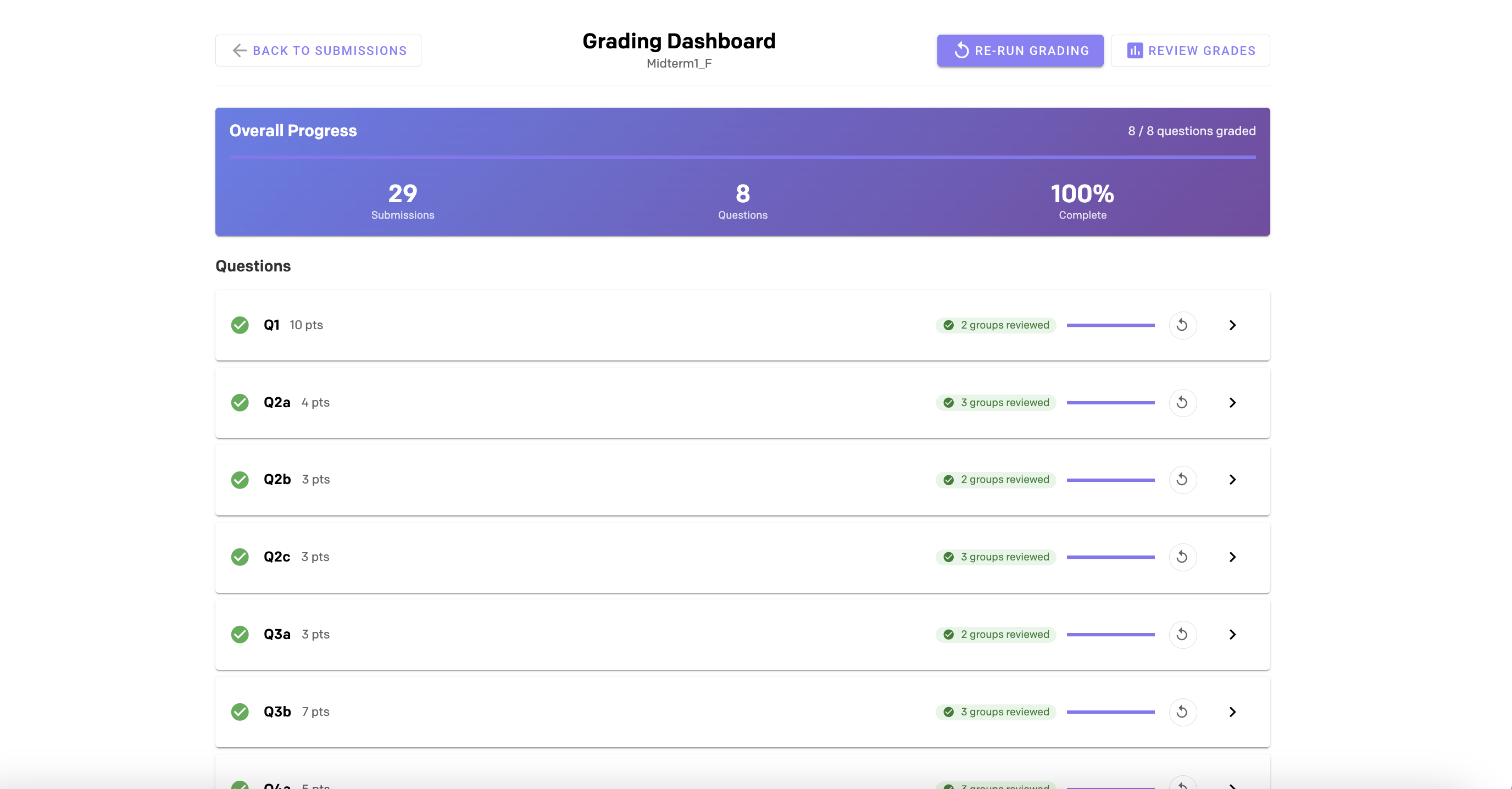
Track grading progress across every question.
The grading dashboard gives you a bird's-eye view of progress across all questions. See which questions have been graded, re-run grading if needed, and jump straight to review.
Step 4
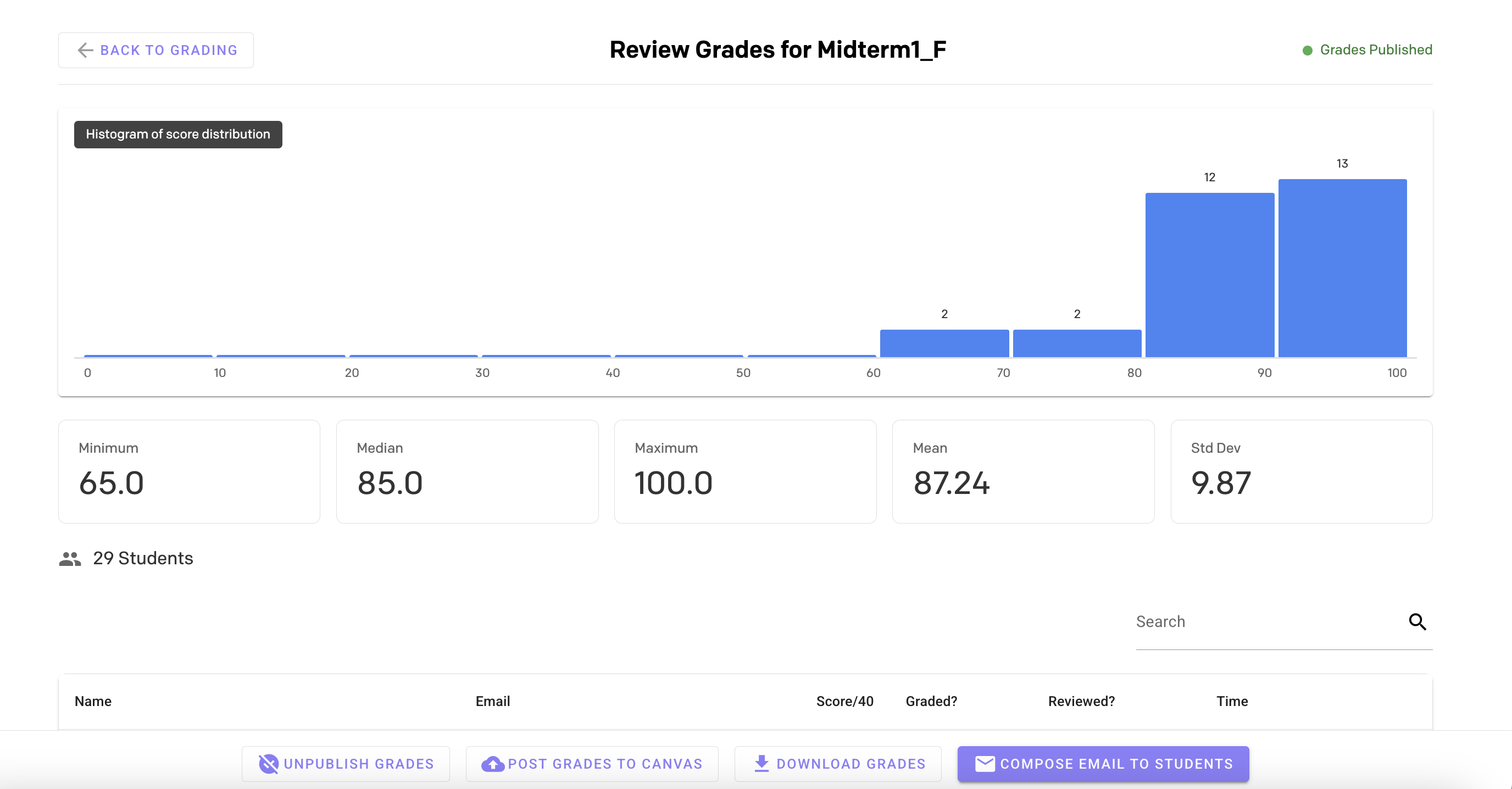
Review analytics. Publish grades. Done.
See grade distributions, class statistics, and per-student grades at a glance. Post grades directly to Canvas, download as CSV, or email students their results.
Handle regrade requests in-app with a built-in workflow.
Why Instructors Choose AI Grader
Hours to Minutes
Grade a class of 100+ in the time it takes to grade 5 by hand. Reclaim your evenings and weekends.
You're Always in Control
AI suggests. You decide. Review every graded submission, override scores, and edit feedback before anything is published.
Paper Exams & Canvas
Supports scanned paper exams with handwriting recognition and Canvas assignment submissions. One tool for all your grading.
Consistent & Fair
Every answer is graded against the same rubric, every time. AI applies your rubric consistently across all students.
Works With Your Existing Workflow
Paper Exams
Scan your exams to PDF and upload. AI splits pages, reads handwriting, identifies students, and grades every question against your rubric.
Canvas Assignments
Import submissions directly from Canvas. AI generates rubrics from assignment descriptions, grades text submissions, and posts scores back to Canvas.
Frequently Asked Questions
AI reads each student's answer (including handwritten text), transcribes it, and matches it against your rubric items to assign a score. You can review every graded submission and override any score before publishing. You always have the final say on every grade.
AI Grader is designed as an assistant, not a replacement. AI follows your rubric to score each answer, but you review every submission before grades are published. You can override any grade, adjust scores, and add feedback. Nothing goes to students without your approval.
AI Grader supports scanned paper exams (uploaded as PDF) with handwriting recognition, as well as Canvas assignment submissions (text and file uploads). It works with free-response, short-answer, and coding questions with sub-questions support.
AI Grader connects to your Canvas course to import assignment submissions, student rosters, and assignment descriptions. After grading, you can post grades directly back to Canvas with a single click, or download them as a CSV for your records.
Yes. Students can submit regrade requests directly through the platform. You can review each request, adjust the grade if needed, and respond with feedback.
Grade smarter, not harder. Try AI Grader for your next exam.
Join instructors who are reclaiming their weekends.